
Wheel Loader Arm Rest Design and Joystick Operating Comfort
Wheel Loader Arm Rest Design and Joystick Operating Comfort A wheel loader operator can make thousands of control inputs in a single shift. Each loading cycle...
MBy Machinery.org · November 13, 2026
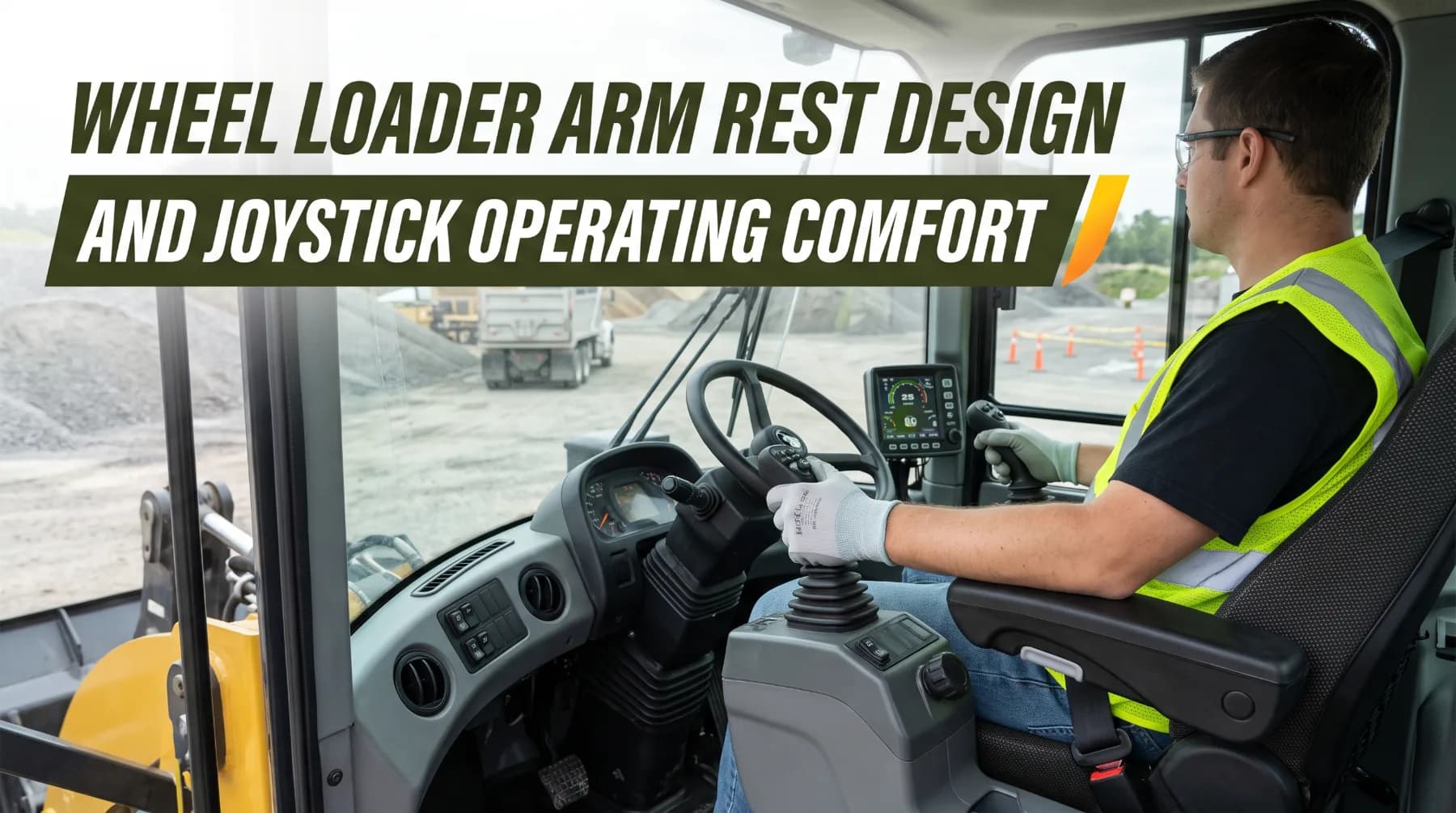
Representative machinery image from the Machinery.org media library.
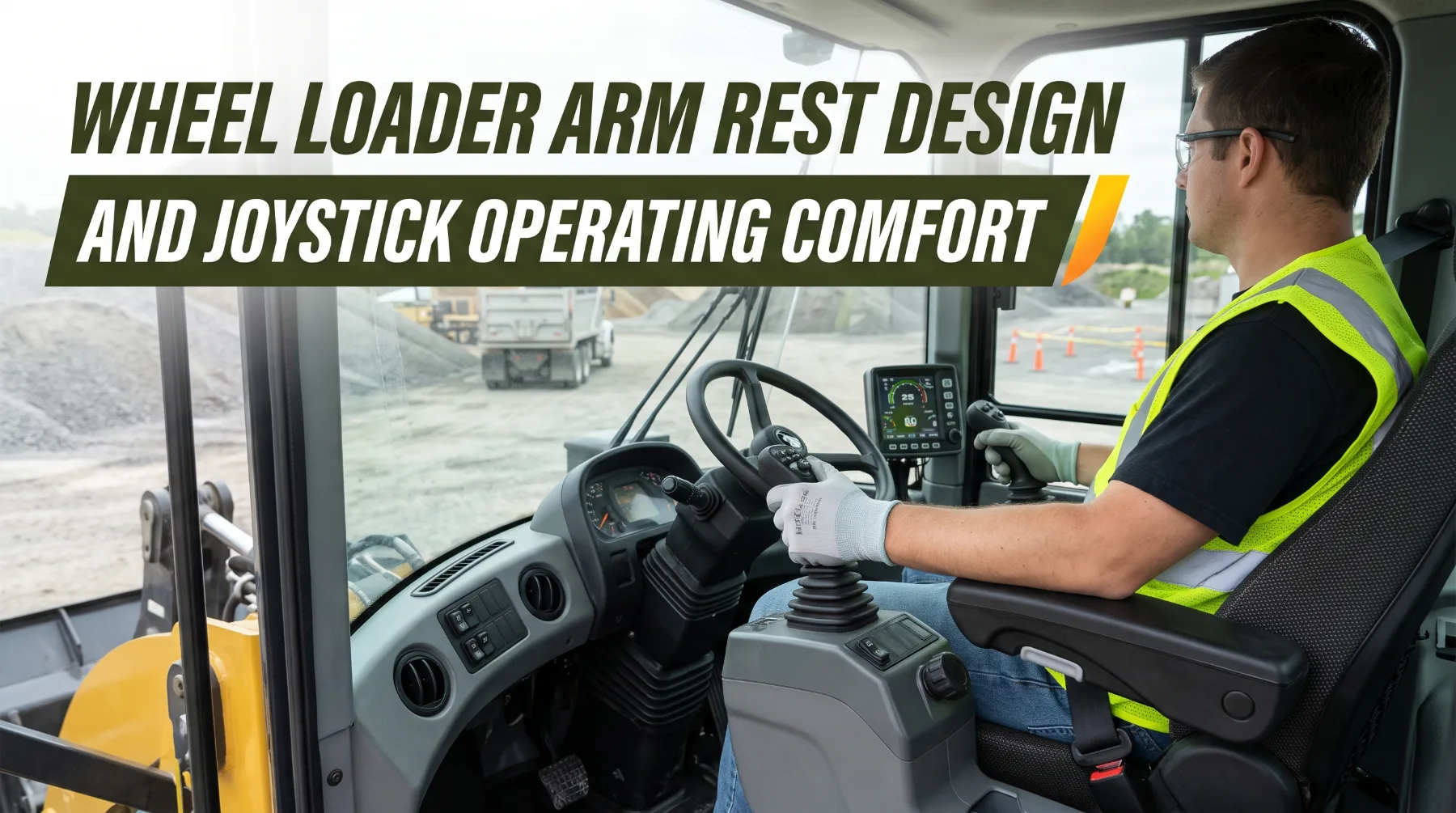
A [wheel loader](http://machinery.org/products) operator can make thousands of control inputs in a single shift. Each loading cycle means raising the arms, curling the bucket, shifting direction, steering into the pile, and positioning the load over a truck or hopper. Over ten or twelve hours, those small movements add up. When the arm rest and joysticks fit the operator well, the work stays smooth and precise. When they don't, the operator compensates with raised shoulders, bent wrists, and constant stretching. The result is fatigue, discomfort, and a gradual loss of accuracy as the shift goes on.
Arm rest design and joystick placement are easy to overlook during equipment selection. Spec sheets focus on breakout force, bucket capacity, and engine output, and those figures matter. Yet the operator station is where all of that performance gets controlled. A loader with excellent hydraulics but poorly positioned controls can still produce slower cycles, rougher bucket handling, and operators who struggle to stay sharp in the final hours of a shift. Over months and years, repeated strain can also contribute to musculoskeletal problems in the wrists, elbows, shoulders, neck, and back.
Arm Rest Support and Forearm Positioning
The arm rest is the foundation of comfortable joystick control. Its job is to carry the weight of the operator's forearm so the shoulder and upper arm muscles don't have to hold it up through every loading cycle. When the arm is supported properly, the hand can operate the joystick with small, relaxed movements of the wrist and fingers rather than tense movements from the shoulder.
A well-designed arm rest supports a neutral posture. The shoulder stays relaxed and level, the elbow rests at a comfortable angle close to the body, and the forearm lies roughly in line with the hand so the wrist stays straight. If the arm rest sits too high, the operator's shoulder rises and the neck and upper back tighten. If it sits too low, the operator leans or drops the shoulder to reach it, which loads the lower back and causes the wrist to bend upward to grip the control. If it sits too far forward or back, the elbow either extends uncomfortably or gets pinned behind the body.
Padding and shape matter as much as position. The arm rest should be firm enough to provide stable support, yet cushioned enough to avoid pressure points on the forearm and elbow during long shifts. A surface that is too narrow or hard can press against nerves near the elbow, while one that is too soft lets the arm sink and lose its stable reference point. Look for a contoured surface that cradles the forearm and a front edge that doesn't dig into the wrist.
Stability during machine movement is also essential. Wheel loaders bounce, pitch, and articulate constantly, especially on rough loading floors. An arm rest that flexes, wobbles, or shifts relative to the joystick forces the operator to brace the arm and correct small, unintended control movements. On many modern loaders, the arm rest and joystick pod mount together on the seat, so they move with the operator through the seat suspension. This keeps the hand in a consistent relationship with the control even as the cab moves, which improves precision and reduces the tendency to grip harder over bumps.
Key takeaway: A stable, well-padded arm rest that supports the forearm at the right height lets the operator control the joystick with relaxed hand movements instead of tense shoulder effort, which protects comfort and accuracy over a full shift.
Joystick Placement and Reach
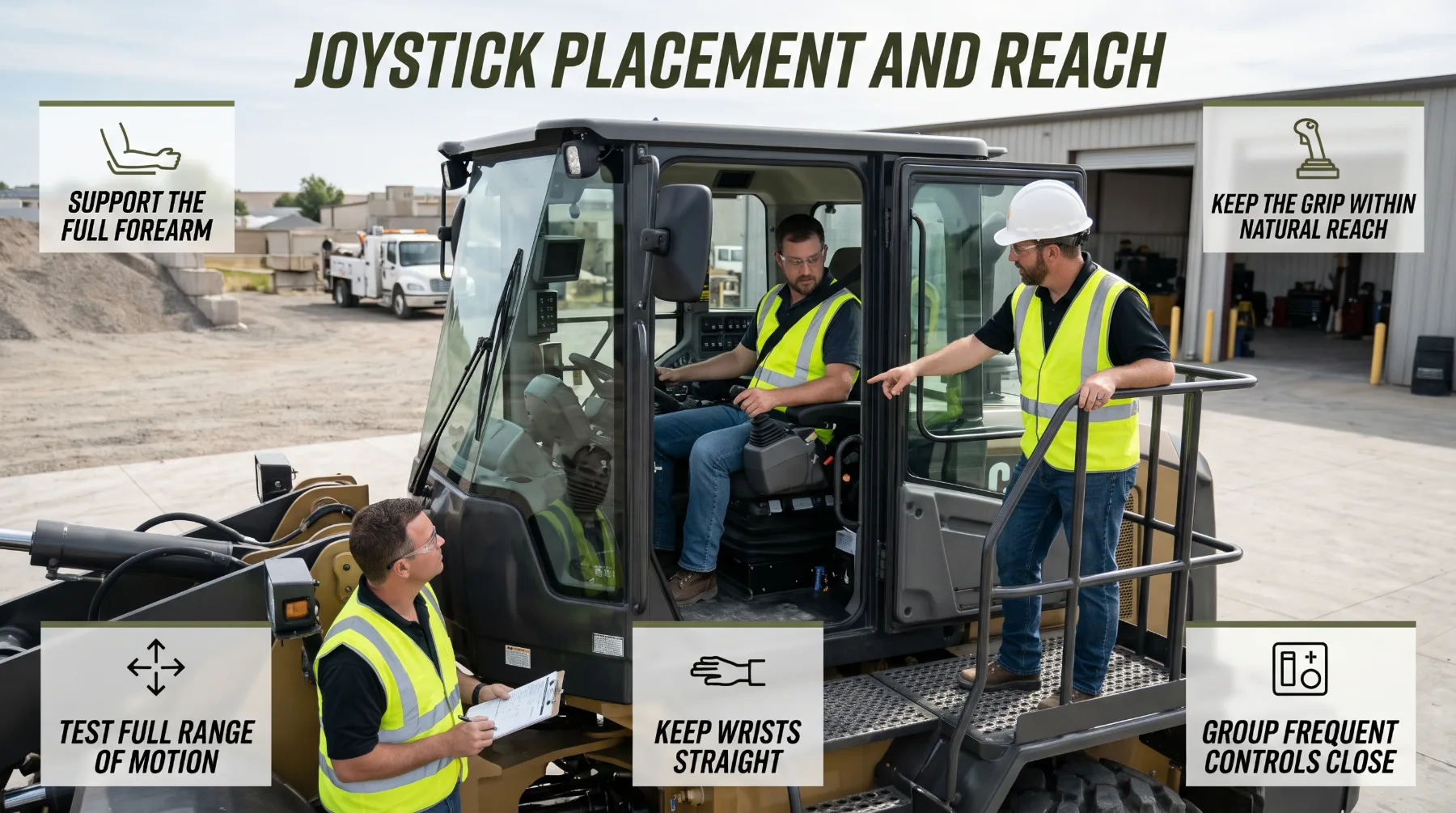
Joystick placement determines how naturally the operator can reach and use the machine's most frequently operated controls. On a wheel loader, the main joystick typically handles lift and tilt functions and often includes a direction switch, kickdown or gear selection, and other frequently used buttons. Some machines also offer joystick steering in place of, or alongside, a conventional steering wheel. Because these controls are used continuously, even small placement errors create strain that accumulates over thousands of cycles.
The ideal position places the joystick at the end of a supported forearm, so the hand falls onto the grip naturally when the arm rests in place. The operator shouldn't have to lean forward, lift the arm off the rest, or twist the wrist to reach it. Controls set too far forward cause the elbow to extend and the shoulder to reach. Controls set too close, crowd the body and force the wrist into an awkward bend. Controls set too far outboard push the arm away from the body and load the shoulder.
Range of motion is just as important as resting position. The operator must be able to move the joystick through its full travel in every direction without the hand, knuckles, or arm hitting the seat frame, side console, window, or other controls. Check this with the bucket fully curled, fully dumped, and with the arms raised and lowered, since these are the extremes of everyday operation. A joystick that only feels comfortable in the neutral position will cause strain the moment the operator works through a real loading cycle.
Secondary controls deserve attention as well. Auxiliary hydraulic switches, ride control, parking brake, throttle, and climate and display controls should sit within easy reach, grouped logically, and positioned so the operator can use them without taking eyes off the work area for long. Recognized ergonomic standards for earth-moving machinery define zones of comfort and reach for operator controls, and well-designed cabs place the most frequently used functions within the most comfortable zone. Less frequently used controls can sit farther away, but never in places that require the operator to unbuckle, stand, or contort to reach them.
Key takeaway: Position the joystick at the natural end of a supported forearm, confirm it moves through its full range without obstruction, and keep frequently used secondary controls grouped within easy reach of the normal seated position.
Control Shape and Grip Comfort
Once the joystick is in the right place, its shape and feel determine how easily the operator can hold and use it. Grip size, contour, surface texture, and button layout all influence how much effort each input requires and how precisely the operator can meter bucket and lift movements.
A comfortable grip fits the hand without forcing it open too wide or closing it too tightly. It should let the operator hold the control lightly, with the palm resting on the grip and the fingers positioned near the buttons they use most often. Grips that are too thin encourage squeezing, while grips that are too bulky stretch the hand. Contoured grips that support the palm and keep the wrist straight reduce the effort needed to hold position during long periods of work. A textured or soft-touch surface helps maintain control when hands are sweaty or gloved without requiring a hard grip.
Control effort is a major comfort factor. Many modern loaders use electro-hydraulic or pilot-operated controls that require only light force to move, compared with older mechanical linkages. Lower effort reduces strain on the hand, wrist, and forearm and allows finer control of bucket position. Smooth, progressive response matters too. The machine should respond predictably to small joystick movements, so the operator can feather the bucket accurately rather than making repeated corrections. Some machines allow adjustment of hydraulic response or control sensitivity, which lets operators match the feel to the task and their preference.
Button and switch layout should support the way operators actually work. The direction switch, kickdown, horn, and auxiliary hydraulic controls are often placed on the joystick so the operator can use them without letting go. These controls should be easy to identify by touch, distinct in shape or position, and protected against accidental activation. Joystick controls should also provide convenient access to auxiliary hydraulic functions while matching the machine's available hydraulic flow and engine horsepower requirements for attachment operation. A button that's hard to reach forces the thumb or finger into a strained position. One that's too easy to bump can cause an unintended direction change or hydraulic movement, which creates a safety risk around trucks, stockpiles, and workers.
Test the controls while wearing the gloves operators normally use on the job. A button layout that works well with bare hands may become difficult with thick work gloves, and a grip that feels comfortable in a showroom may feel slippery or cramped in real conditions. Pay attention to how much force each button requires and whether every switch can be operated confidently without looking down.
Key takeaway: Choose a joystick grip that fits the hand without squeezing, offers light and predictable control effort, and places frequently used buttons where they can be reached and identified by touch, even while wearing work gloves.
Seat and Arm Rest Adjustability
Arm rest and joystick comfort can't be separated from the seat. The seat sets the operator's overall posture, and the arm rest and controls must line up with that posture to work properly. A perfectly designed arm rest still causes strain if the seat places the operator too high, too low, or too far from the controls.
Key seat adjustments include height, fore-and-aft position, backrest angle, lumbar support, and suspension stiffness set to the operator's weight. Many machines also offer seat cushion tilt and depth adjustment, which help support the thighs and reduce pressure on the lower back. When these adjustments are set correctly, the operator sits upright with the back supported, the feet resting comfortably on the pedals or floor, and a clear view of the bucket and work area.
Arm rest adjustment then fine-tunes the arm and hand position. Look for independent height adjustment and, where available, fore-and-aft or angle adjustment of the arm rest and joystick pod. These adjustments let each operator bring the joystick to the natural end of the forearm, regardless of arm length or body size. Adjustment controls should be easy to use from the seated position, lock securely, and hold their setting through vibration and machine movement. An arm rest that slowly drops or shifts during the shift is almost as problematic as one that can't be adjusted at all.
Seat suspension deserves particular attention because it directly affects control. Wheel loaders transmit whole-body vibration from rough loading floors and haul roads. A suspension seat set correctly for the operator's weight absorbs much of that motion, and seat-mounted controls move with it, keeping the hand steady on the joystick. Worn suspension, damaged cushions, or incorrect weight settings increase fatigue and make precise control harder. Inspect seat condition as part of routine maintenance and repair worn components promptly.
Key takeaway: Adjust the seat first to establish a supported, upright posture, then set the arm rest and joystick to match, and choose machines whose seat and control adjustments can accommodate every operator who will run them.
Evaluating the Control Station Before Purchase
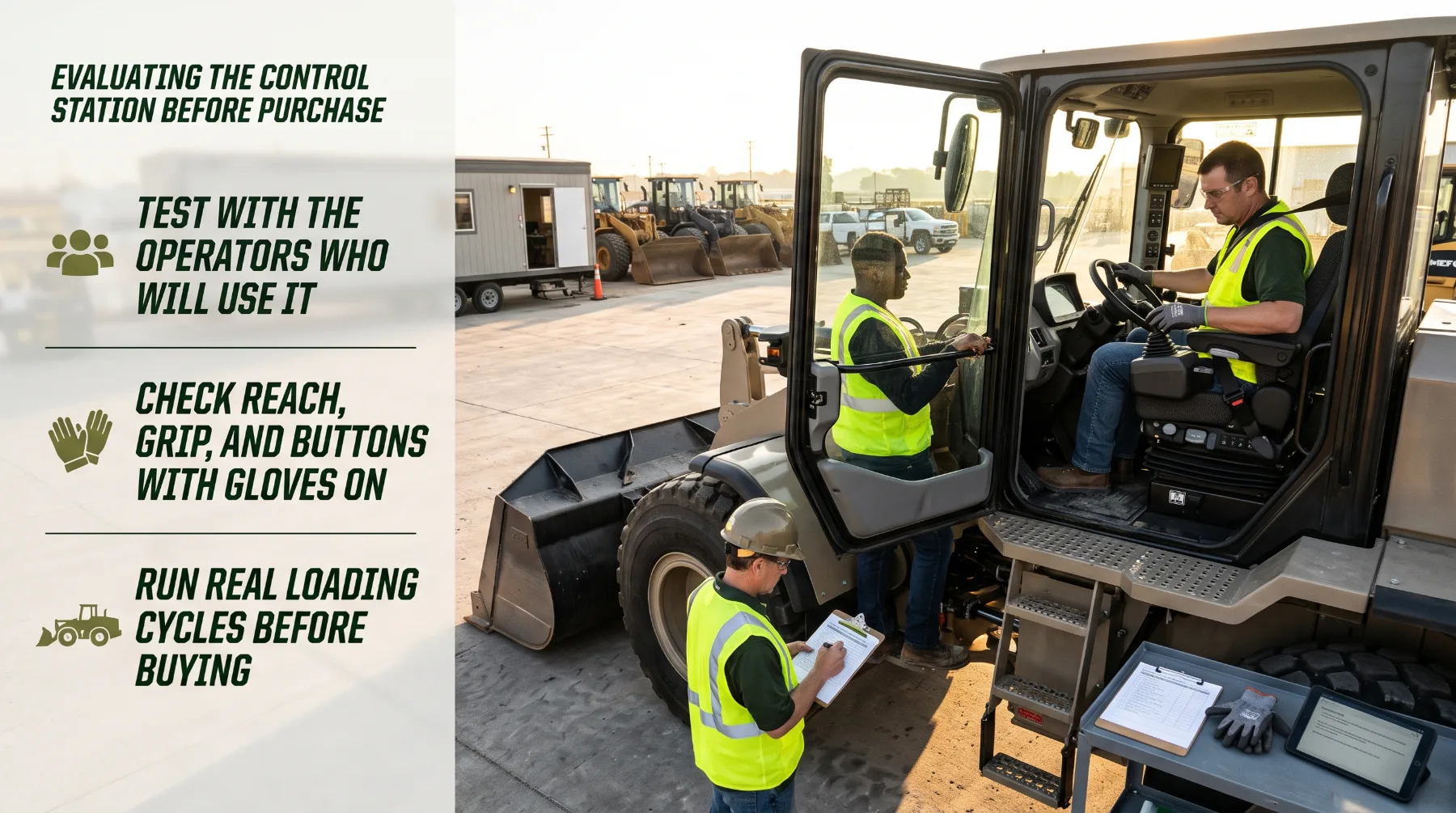
The best way to judge arm rest and joystick comfort is to sit in the machine and use it. Brochures and photographs can show the layout, but they can't reveal how the controls feel during a real loading cycle or whether the station suits the operators who will spend their shifts in it.
Start with the people who will run the machine. Whenever possible, include several regular operators of different heights and builds in the evaluation. A cab that suits one operator perfectly may leave another stretching or hunched. Ask each operator to adjust the seat, arm rest, and joystick from scratch, then note how easy those adjustments are to make and whether everyone can reach a comfortable, supported posture.
During the evaluation, check the following:
Arm rest support: Does the forearm rest naturally with relaxed shoulders and a straight wrist?
Joystick reach: Does the hand fall onto the grip without leaning or lifting the arm?
Full range of motion: Can the joystick travel fully in every direction without hitting surrounding panels?
Grip and buttons: Do the grip and switches suit the hand, including when wearing work gloves?
Control response: Are lift and tilt movements smooth, predictable, and easy to meter?
Secondary controls: Are frequently used switches and displays within easy reach and clearly labeled?
Visibility: Can the operator see the bucket, tires, and work area while holding the controls in a natural position?
Entry and exit: Do the arm rests fold or move clear so the operator can get in and out safely, and do they leave emergency exits accessible?
A machine demonstration in your own material is especially valuable. Run real loading cycles, not just a few movements in a parking area. Ask operators to work for a meaningful period and report any discomfort, awkward reaches, or controls that feel unnatural. Combined movements, such as lifting while curling and driving forward, often reveal layout issues that static checks miss.
Also review the support behind the station. Ask the dealer about replacement arm rest padding, seat cushions, suspension components, and joystick parts, along with available options such as upgraded seats, joystick steering, or adjustable control sensitivity. Confirm how controls and seat adjustments are maintained and what training is available to help operators set up their station correctly. A comfortable control station delivers value over the full life of the machine, so it deserves the same attention as engine and [hydraulic specifications](https://www.iso.org).
Key takeaway: Evaluate the control station hands-on with the operators who will use it, run real loading cycles, check reach, grip, adjustability, visibility, and safe access, and confirm parts and options support long-term comfort.
Conclusion
Arm rest design and joystick placement shape how comfortably and accurately an operator controls a wheel loader across thousands of daily inputs. A stable, well-padded arm rest supports the forearm and keeps the shoulders relaxed, while a joystick positioned at the natural end of that forearm allows smooth, efficient movements through its full range. Grip shape, light control effort, and logical button layout let operators work precisely without squeezing or stretching, even while wearing gloves. Seat and arm rest adjustability bring these elements together for operators of every size, and good suspension keeps the hand steady on the controls over rough ground. Combined with sensible working habits, these features reduce fatigue and support long-term operator health. Before your next equipment decision, put your operators in the seat, have them adjust the station and run real loading cycles, and choose a control layout that keeps them comfortable, focused, and productive from the first bucket of the day to the last.
Frequently Asked Questions
Why are arm rests important in a wheel loader?
Arm rests carry the weight of the operator's forearm, so the shoulder and upper arm muscles don't have to hold it up throughout the shift. This supports a relaxed, neutral posture and lets the operator control the joystick with small hand and wrist movements instead of tense shoulder effort. A stable arm rest also provides a consistent reference point for the hand, which improves control precision over bumps and rough loading floors. Over long shifts, proper support helps reduce fatigue and the risk of discomfort in the neck, shoulders, and arms.
What makes joystick placement comfortable?
A comfortable joystick sits at the natural end of the supported forearm, so the hand rests on the grip without leaning, reaching, or lifting the arm off the arm rest. The wrist should stay roughly straight, and the operator should be able to move the joystick through its full range without hitting the seat, console, or window. Joysticks mounted to the seat with the arm rest move with the seat suspension, which keeps the hand steady. Frequently used secondary controls should also sit within easy reach.
Should arm rests be adjustable?
Yes. Operators vary widely in height, arm length, and build, and a fixed arm rest can only suit a narrow range of body sizes. Height adjustment, along with fore-and-aft or angle adjustment where available, lets each operator align the arm rest and joystick with their seated posture. Adjustability is especially important on machines shared between operators or shifts. Adjustment controls should be easy to use from the seat, lock securely, and hold their setting through vibration and machine movement.
How should buyers evaluate joystick comfort?
Sit in the cab with the operators who will use the machine, adjust the seat first, then set the arm rest and joystick. Operate every control, checking reach, grip fit, button access, control effort, and full range of motion, both with bare hands and with normal work gloves. Confirm visibility of the bucket and work area while holding the controls naturally, and check that arm rests don't restrict entry or emergency exit. A demonstration with real loading cycles in your own material gives the most reliable picture of comfort.
Hydraulic Innovations
Reader feedback
Have any comments, corrections, or suggestions for this blog post? Reach out to our support team.
Report feedback